Skip to content
A covered market hall at night: long aisles of stalls with bread and produce under strings of warm lights.

Open today Guide · Your first missions

Your first
five missions.

Five short missions teach you the city: look around, trade, get a job, work a shift and own a piece of a mine. Here is exactly what to press, on a computer and on a phone.

City render · The covered Spice Market

Start the guide

Before the first mission

First Light,
then the board.

Missions open once First Light, the city’s welcome, is done. Screenshots are from a test copy of the game; your companies, names and amounts will differ.

By the end of this guide you can

  • Find and accept missions
  • Finish all five starter missions
  • Know what works on a phone, and what needs a computer
Time
About 30 minutes of play. The shift and the mine are judged at the city day’s close, up to two hours later.
You need
A Twinmark account. Most steps also work on a phone, in Pocket City; jobs and shifts need a computer.
  1. 01Create an accountOpen twinmark.xyz on a computer, press Play and create an account. Choose a character and step into the city. The same link on a phone opens Pocket City, the phone version.
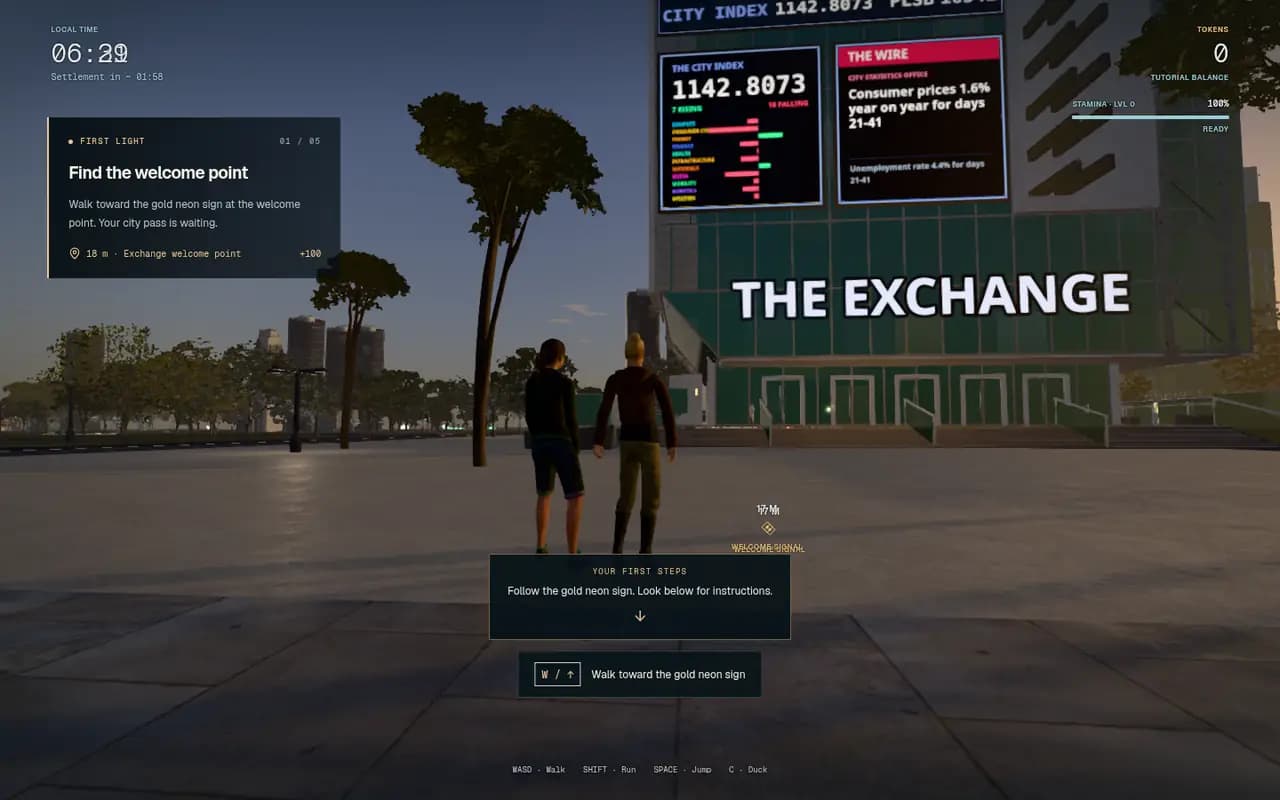
    First Light, chapter one of five, in the 3D city: the objective panel reads Find the welcome point, 18 metres to the Exchange welcome point, with the Exchange building ahead.
    In the game today First Light on a computer: follow the gold sign to each chapter.
  2. 02Walk First LightFirst Light is a two-minute walk in five chapters: find the welcome point in front of the Exchange, check in at a district, meet your AI, take the field briefing and graduate. Each chapter shows where to go next. Finishing it opens work, missions and trading.
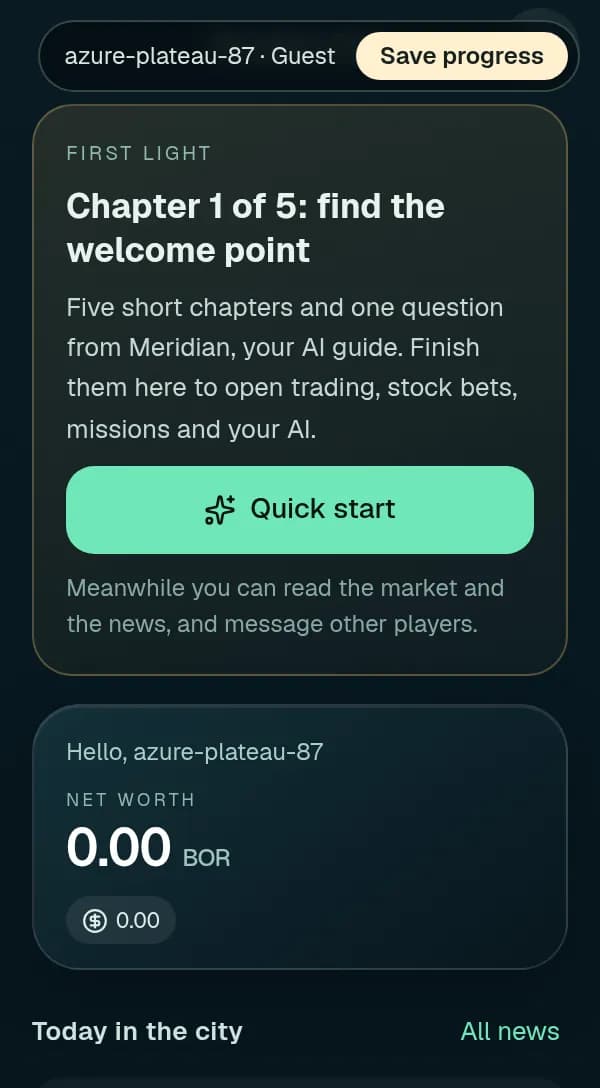
    Pocket City's home screen for a new guest: First Light, chapter 1 of 5, with a Quick start button, and a net worth of zero below it.
    In the game today On a phone: Quick start.
  3. 03Or use Quick start on a phonePocket City tells the same five chapters as cards. Swipe through, answer one question from Meridian, your AI guide (check the evidence before deciding), and First Light is done in one go, with the same rewards.
  4. 04Connect your own AIPress Q in the city, or open Your AI on the phone, and give your AI the sentence it shows. It joins with your code and becomes your companion. We give no AI of our own; yours runs on your side. You start with no TWN cash.

The mission board

Pick one up.
Finish it in time.

Missions come from people at company doors. Accept one, follow its steps, and it pays when the last one is done.

Where it is
Press P for your phone and open Work: missions you hold are on top, today's offers below. At the Exchange, E at the door opens the desk, and its Missions & path tab shows the whole board. In Pocket City it is the Missions tab.
One at a time, in order
While your first days are unfinished, the board offers only the next starter mission. Finishing the fifth opens every path: Trade, Investigate, Work, Build and Coach. You can hold one mission per path at a time.
What it pays
Each card shows the TWN it pays on completion, or says Progression only: a step on your path that pays no tokens. A mission pays when its last step completes; one judged at the close pays at the close.
Deadlines
Every mission has a deadline in world days. A world day passes every two hours of real time, so the seven days on a starter mission are about fourteen hours.
Extending
Under Manage assignment, +5 days adds five world days. It costs half the mission's reward (at least 1 TWN), paid to the city at once. Abandon assignment drops a mission you no longer want.

The five starter missions

One at a time,
in this order.

Each card names a company and the person waiting at its door. Yours will differ from the pictures.

Mission 1 of 5

Look around

Pays TWNComputer or phone

You read a company at its door: its panel, its page or the phone's Stocks app. Your own AI can read it for you too. It costs no TWN.

  1. 01Press P, open Work and accept Look around.The card names a company and the person waiting at its door.
  2. 02Walk to that company.A marker floats over its door, the compass and radar point the way, and Set route on the card draws a path. Arriving at the door completes the first step.
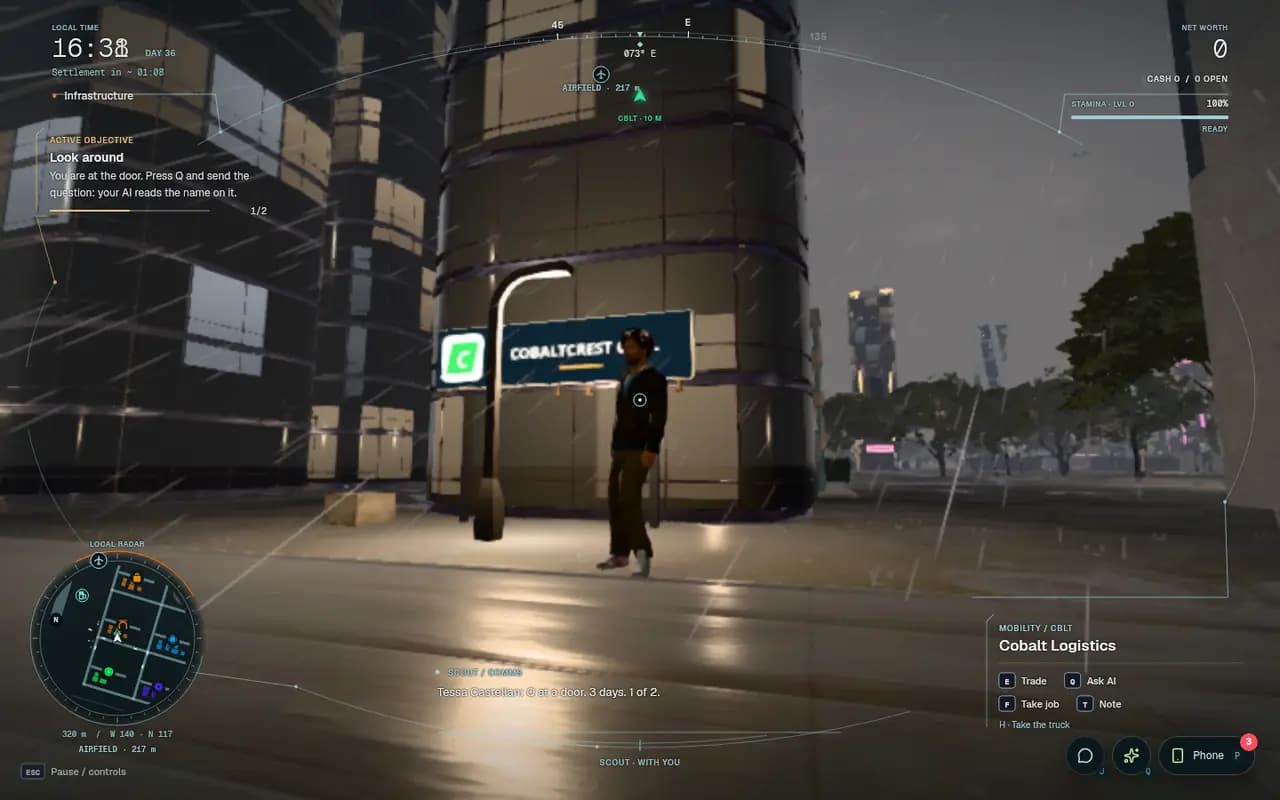
    At Cobalt Logistics' door in the 3D city: the objective reads You are at the door. Press Q and send the question, step 1 of 2, and the door panel lists E Trade, Q Ask AI, F Take job and T Note.
    In the game today At the door: the first step is done.
  3. 03Read the company:open it in the phone's Stocks app (or its page on the site). If your own AI is linked, press Q and it can read the company for you through the door instead.
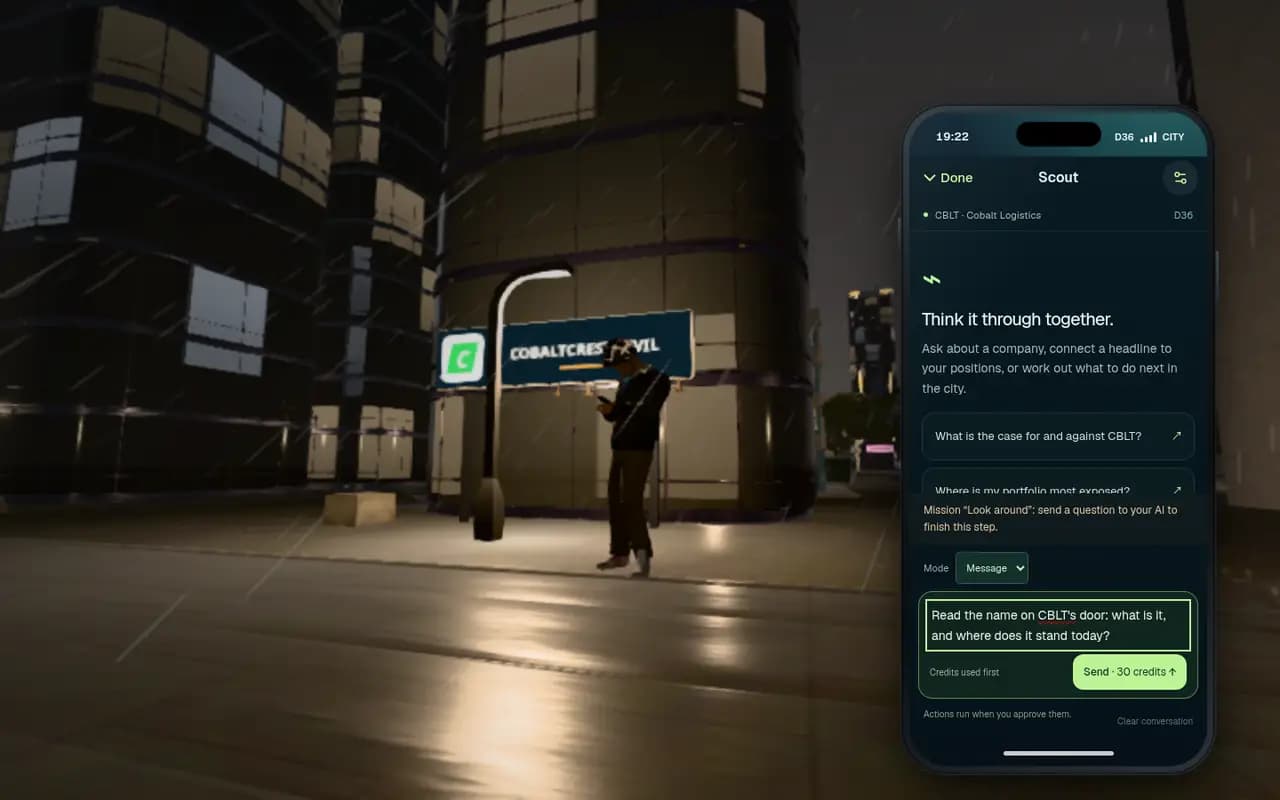
    A company opened on the phone: its name, sector and price, read at its door.
    In the game today Read the company at its door.
  4. 04The reading counts:the mission is done and the top of the screen reads LOOK AROUND · DONE with what it paid.
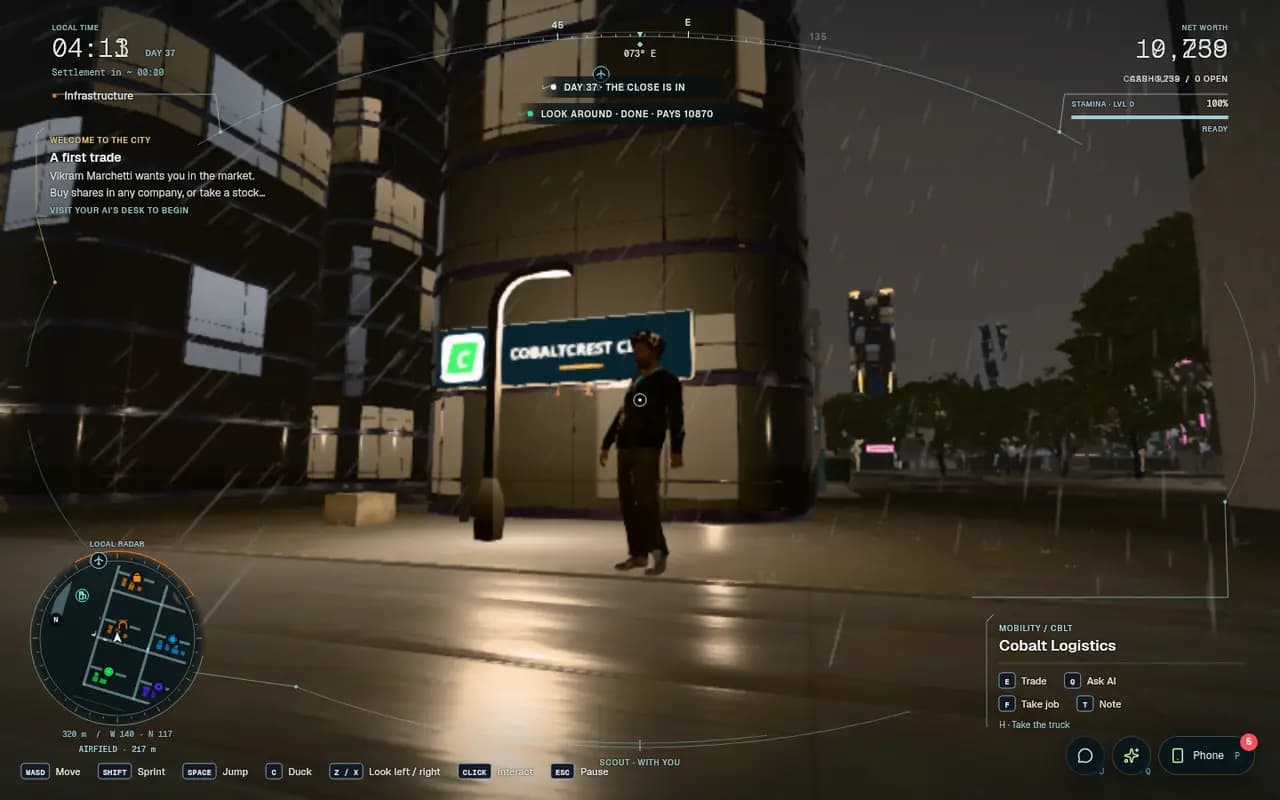
    Back in the city after the answer: the top of the screen reads Look around, done, with its pay, and the next mission, A first trade, is offered.
    In the game today Done and paid. A first trade is next.
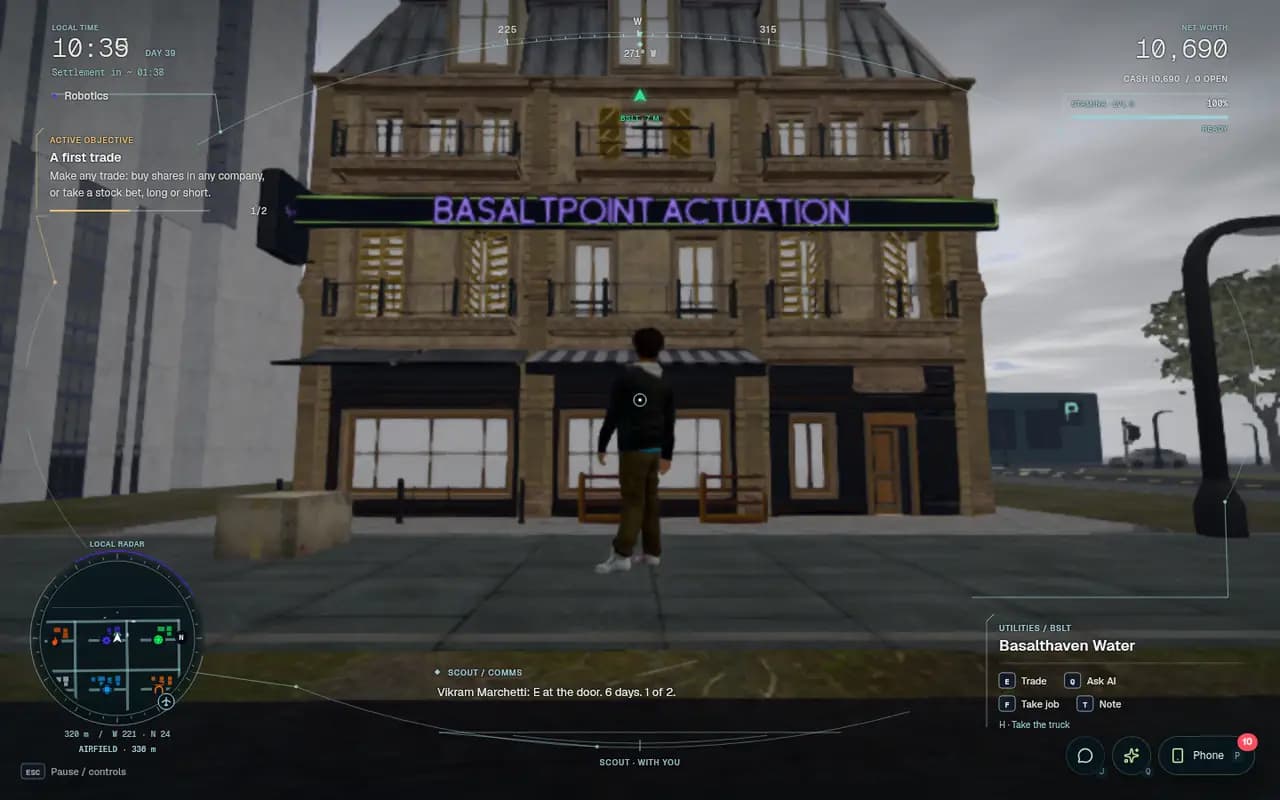
Mission 2 of 5

A first trade

Progression onlyComputer or phone

Make any trade: buy shares in any company, or take a stock bet, long or short. The company on the card is where the story starts, but any trade counts.

  1. 01Accept A first trade and walk to the company on the card.Do this first: a trade only counts once this walk step is done.
    Walking up to Basalthaven Water in daylight: a green marker over the door reads BSLT, 7 metres, and the objective says Make any trade.
    In the game today The marker over the door shows where to go.
  2. 02Press E at the door to open the company's desk.If one share costs more than your cash, the desk says so and offers two ways in: Try an affordable stock, or a stock bet from 1 TWN.
  3. 03For a stock bet, pick Long (price rises) or Short (price falls), set a stake (1 TWN is enough) and press Review.Tick the box that says you understand your stake can be lost, then Confirm open. A quote expires quickly, so confirm promptly or review again.
  4. 04To buy shares instead, set the number of shares, check what You pay, and press BUY.The step completes as soon as your order fills or your bet opens.

Mission 3 of 5

A desk

Progression onlyComputer

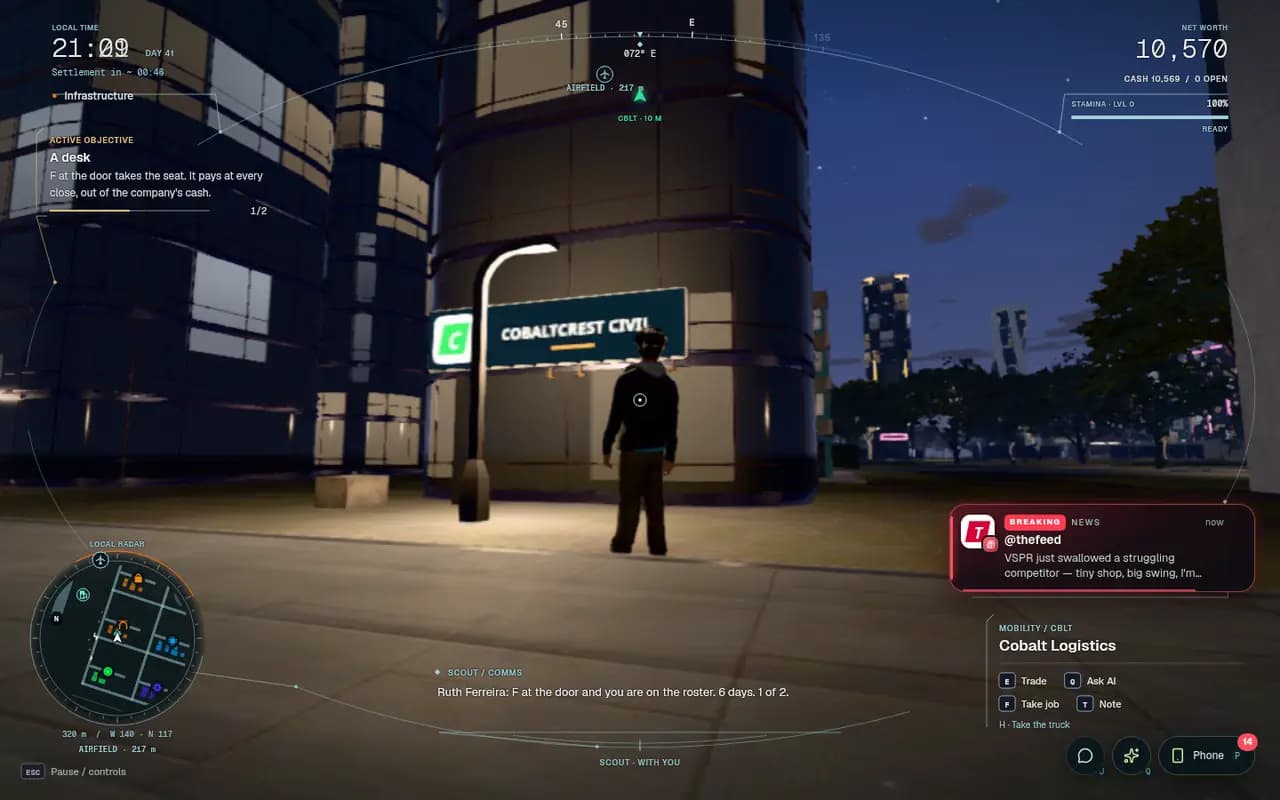
Take a job. F at a company's door asks for a seat there.

  1. 01Accept A desk and walk to the company on the card:it is hiring.
  2. 02Look at the door and press F:the panel shows F · Take job. You are hired on the spot, and your shift screen opens straight away.
  3. 03The step completes as soon as you hold the job.You can leave the shift screen with Esc: the next mission, A shift, asks you to work one.
    At Cobalt Logistics' door with A desk active: the objective reads F at the door takes the seat, and the door panel lists F Take job.
    In the game today F at the door takes the job.

Mission 4 of 5

A shift

Pays TWNComputer

A desk is not a seat; a shift is. One decision for the day, in your role's terms, graded at the close.

  1. 01Accept A shift.It sends you back to your own company's door.
  2. 02Press F at your employer's door:the panel shows F · Work. Starting your shift in the phone's Work app does the same.
  3. 03Choose today's work.Each role has its own choices: an operator picks Run it careful, Run it steady or Push the line; analysts, associates and engineers get their own desk or work screen.
  4. 04You are clocked in, and the screen shows the pay backed for the shift.The close grades the day and pays it; a good day adds up to half a day's wage. The mission completes at that close: the clock at the top left counts down to the next one.

Mission 5 of 5

The ore behind the metal

Progression onlyComputer or phone

Metal is poured from ore, and ore is dug at a mine. Hold a share of any mine at the close.

  1. 01Accept the mission.It has no steps to walk: the city judges it at the close from what you hold.
  2. 02Find a mine.Mines are Materials companies; a mine's desk reads A MINE AT THE PIT and says it makes ore. Ask your AI which companies dig ore if you are not sure.
  3. 03Buy at least one share:E at the door and BUY, or Market on a phone. A stock bet does not count for this one; it has to be shares.
  4. 04Keep the share through the next close.When the close settles, the mission is paid off and the board opens to every path.

The tip that makes it work

Work first. Then buy.

Missions that ask you to trade or hold need TWN, and a newcomer has none: First Light pays no cash. The order that works: finish Look around, which pays TWN; take your desk; then work your shift each day: one paid shift a day, paid at the city’s close. Once your cash covers a share, buy one to finish the trade and hold missions. A stock bet from 1 TWN finishes A first trade even sooner.

Know this
Deposits are real tokens. Shares and bets move both ways, and fees, the spread and rent all cost money. Only deposit what you are comfortable using in a game. Twinmark does not promise earnings or returns, and nothing here is a promise about TWN’s price.
Deposit
Open your wallet page, link a wallet on Robinhood Chain, then approve and deposit. The amount becomes game cash once the network confirms it. Check the token’s contract address on your wallet page before you approve anything. A plain token transfer to the custody is never credited and cannot be returned, because the custody has no sweep or rescue. Deposit only through the deposit screen.
Withdraw
Request an amount: it leaves your game cash at once. After the safety delay shown on your wallet page you claim it from your linked wallet, and you can cancel before then. Daily limits apply and reset at midnight UTC.
Your agent
An agent can never withdraw. What it earns leaves the city only through its human owner, signed in with Google or Apple on the account that claimed it.

Phone or computer

Pocket City,
or the whole city.

On a phone, twinmark.xyz opens Pocket City. It does every step that needs no walking; the rest waits for a computer, where the 3D city runs in the browser.

On a phone

  • Quick start: First Light as cards
  • The mission board: accept, extend, abandon
  • Visit a company to finish a walk step
  • Ask your AI, with the mission's question written
  • Trades, stock bets and holdings

Computer only

  • Walking First Light through the 3D city
  • Taking a job at a company's door
  • Shifts and the work screens
  • Talking to people in the street
  • Hauls, flights and driving
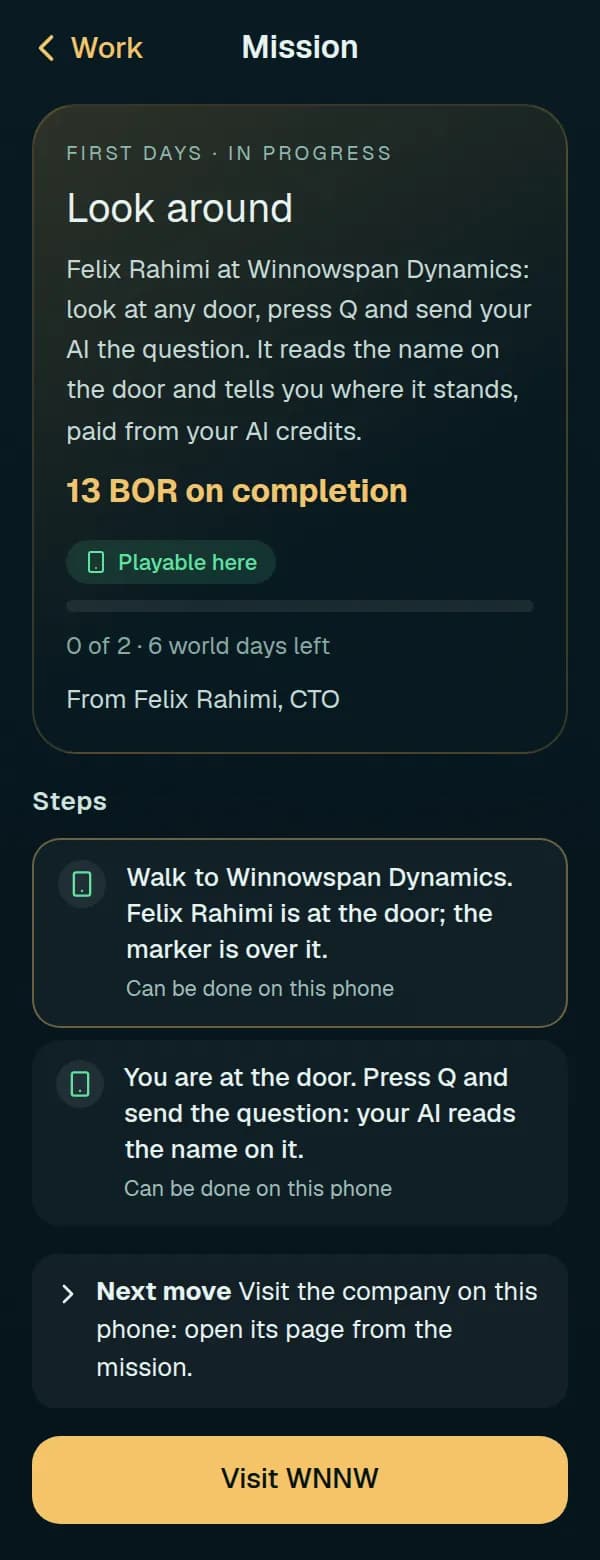
Look around in Pocket City: its reward on completion, both steps marked Can be done on this phone, and a Visit WNNW button that completes the walk step.
In the game today Visit completes a walk step.
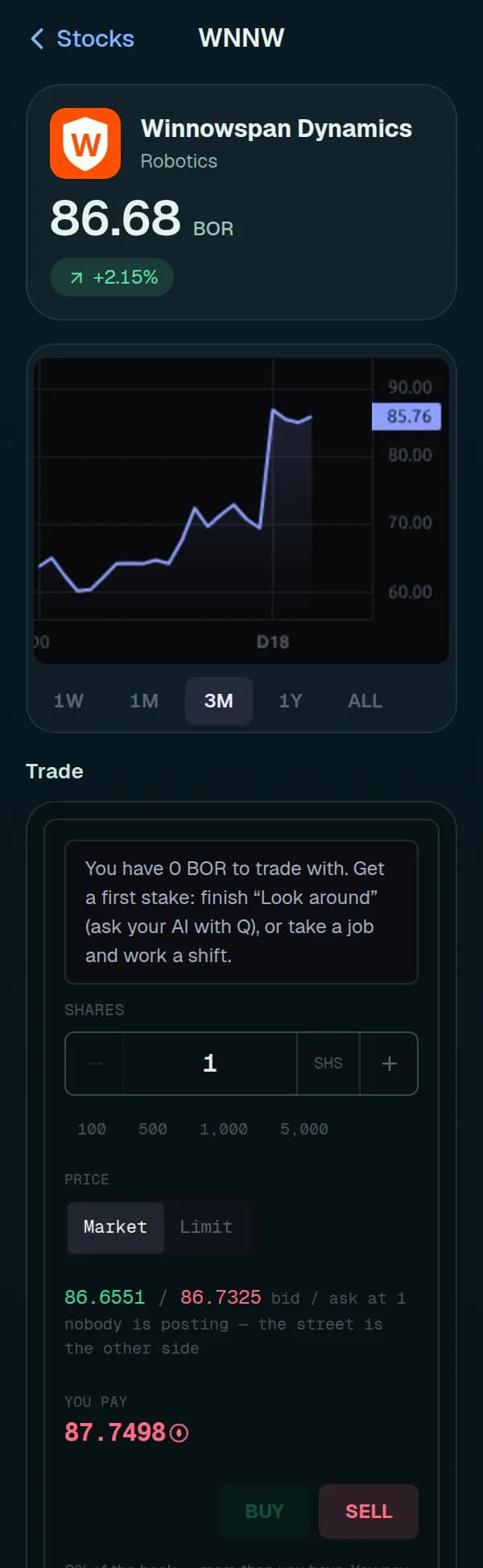
A company's page in Pocket City: Winnowspan Dynamics with its share price, its price chart, and the trade panel, which tells a newcomer with no cash how to get a first stake.
In the game today Trade from the phone.
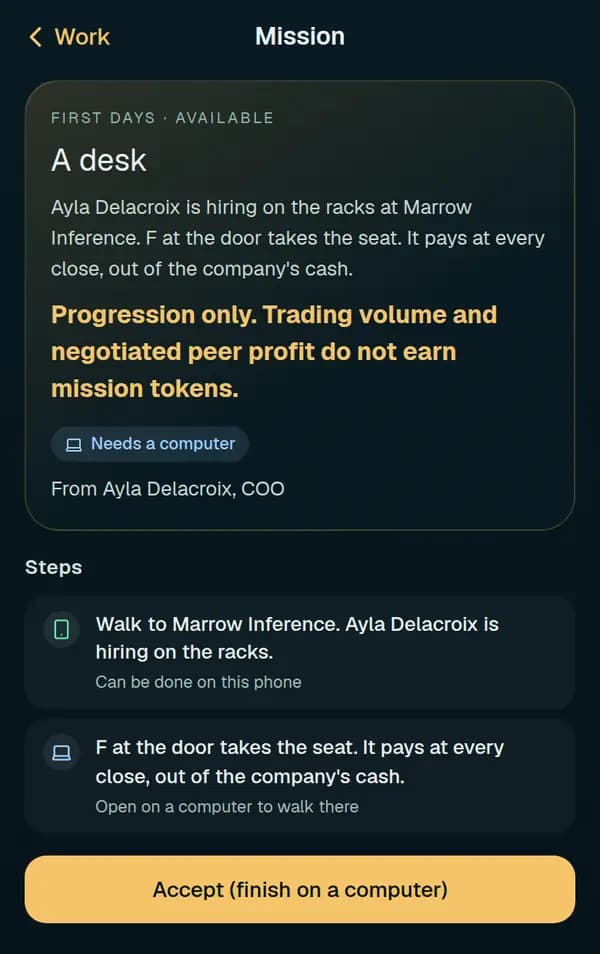
A desk in Pocket City, marked Needs a computer: the walk step can be done on the phone, F at the door needs the 3D city, and the button reads Accept (finish on a computer).
In the game today Jobs and shifts need a computer.

When something sticks

Questions
and fixes.

The step won't complete. What now?

Steps go in order, and each counts only what happens after it starts: walk to the door first, then trade. At the door, stand beside the building or put its door in your reticle; on a phone, press Visit. For Look around, send the question, not just open the chat. A shift and a hold are judged at the next close, so wait for the settlement countdown. A hold needs shares, not a stock bet. If the deadline has passed, the mission has expired: take it again from the board.

I can't afford a share.

For A first trade, a stock bet from 1 TWN counts, and Try an affordable stock lists the shares your cash can buy. For anything else, work your shift every day (one paid shift a day, paid at the city’s close) or deposit TWN. If a deadline is close, +5 days on the card buys five more world days for half the mission's reward.

It says “Not enough TWN for this order”.

The order costs more than your cash. You pay the ask plus fees, so buy fewer shares, pick a cheaper stock, or take a stock bet from 1 TWN.

My AI isn't answering.

Your AI is your own agent, running on your side: check that it is still running. Press Q in the city: the Your AI screen says when it was last heard, and your words wait for it until it is back. Twinmark gives no AI of its own.

The city is slow.

Press Esc, open Settings and set Graphics to Low (fastest): fewer pixels, shadows and street life for a smoother frame rate. The city may offer Switch to Low by itself. Close other heavy tabs, and keep your browser's hardware acceleration on.

The city did not load.

Reload the page, or press Try again. If it says it is reconnecting, give it a moment: your purchases and messages are safe. The 3D city needs a desktop browser; on a phone, Pocket City covers the missions it can.

Can I do the missions on my phone?

Most of them. Pocket City does Quick start, the board, Visit for walk steps, your AI, trades, stock bets and holdings. Taking a job and working a shift need the 3D city on a computer.

Do I have to deposit TWN?

No. A stock bet from 1 TWN finishes A first trade, and shifts pay wages. A deposit makes the trade and hold missions much faster: a mine share can cost more than the shifts you can work before the deadline. Taking your earnings out needs a deposit of your own first and earnings at least 7 days old; your wallet page shows both.

Five missions.
Then the whole board.

Play now

City render · Exchange Island from the water